This is a quick tip that covers an overlooked feature in BeerSmith. You can open tools recipes in a separate window easily in BeerSmith while not closing the item you were previously working on.
Opening Multiple Windows in BeerSmith Desktop
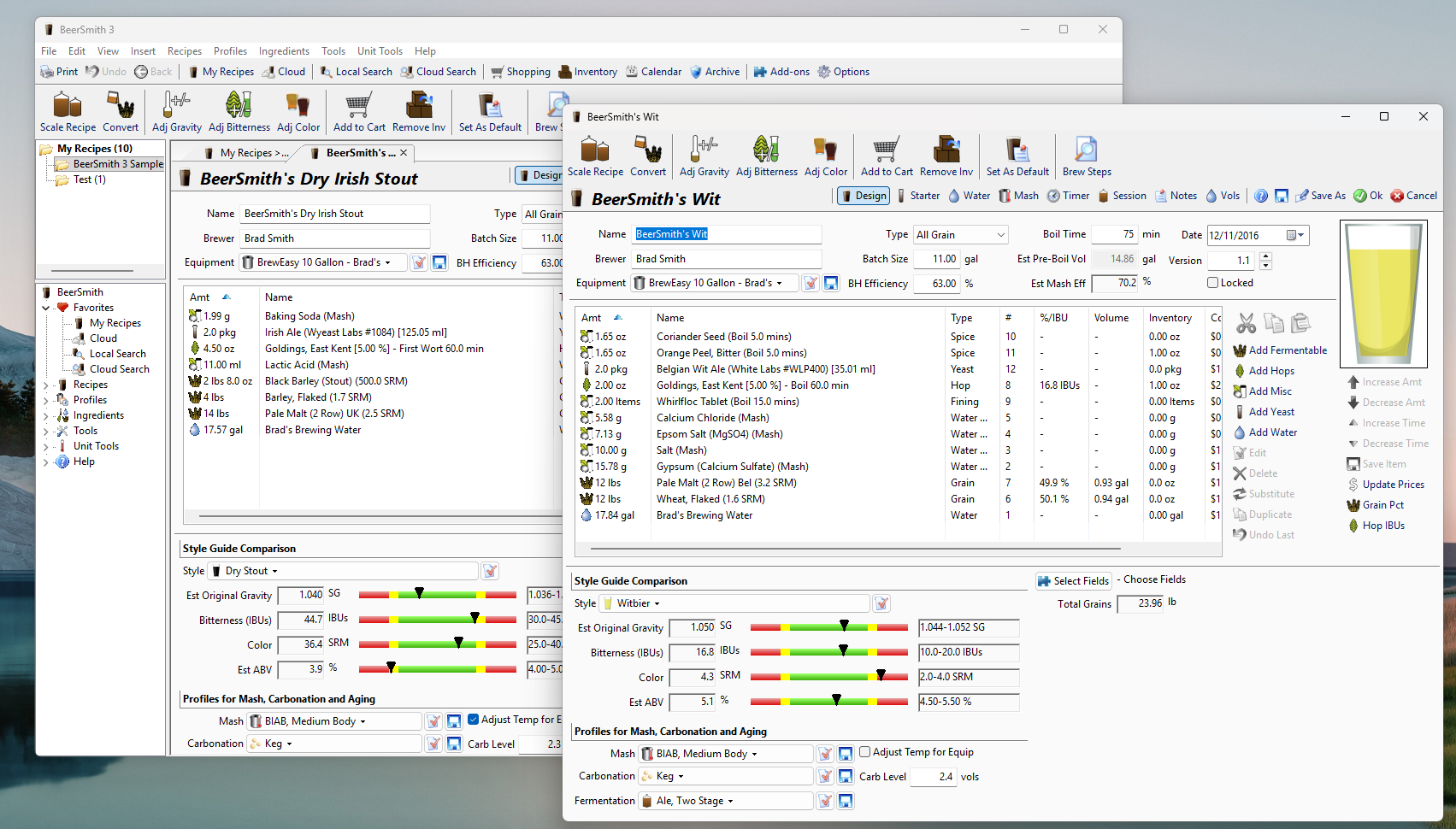
Last week I received a question from a professional brewer asking how he can compare the fermentation graph side by side for two recipes. He was working on two different batches of the same recipe. Surprisingly this is very easy to do!
- By default BeerSmith opens new views in a new tab, and you can switch tabs easily using the notebook tabs at the top of the window
- To open any BeerSmith recipe, tool or view in a separate window simply hold down the shift key while clicking (or double clicking) on it!
- That’s it! The tool or view you selected will open in a new window. If you have a large enough monitor or multiple monitors you can rearrange the windows to place them side by side for comparison. So it becomes easy to compare two different recipes or items side by side.
- Shift-clicking on tools is also handy as this lets you pop up a small tool to do a quick unit conversion or calculation.
What about the Web Version of BeerSmith?
While the web version of BeerSmith typically opens new items in the current tab, you can actually easily make any tool or view pop up in a new tab or completely separate window:
- To Open an Item in a New Tab: While in the BeerSmith Web program: Hold down the Ctrl key while clicking on the tool, recipe or view you want to open. This will open that selection in a new tab in your browser.
- To Open an Item in a New Window: Hold down the shift key while clicking on the tool, view or recipe and it will open in a completely new web browser window.
You can download BeerSmith desktop at BeerSmith.com or try the web based at BeerSmithRecipes.com. Both have free trial periods!
Thanks for joining me on the BeerSmith Home Brewing Blog. If you want to take the guesswork out of brewing, please try my BeerSmith recipe software from BeerSmith.com. Be sure to sign up for my newsletter or my podcast (also on itunes and youtube) for more great tips on homebrewing.